Separate camera movement from tower movement
On mobile, move first and turn the camera second. Walk to a stable spot before each gate pair and lift your movement thumb. Inspect both options, then cross one opening in a straight line.
Most choices in Would You Rather Halloween Outfit Tower happen when you walk through large openings, which suits touch controls. Update v1.5 improved mobile controls, animations, and tools. Button placement can differ with screen size and interface settings, so use what your current screen shows.
Check the live controls before the first gate
Do not begin with a sprint. Let the R15 avatar and gate area load, then test movement and camera response on safe ground.
Test a few things before moving on:
- Move forward and stop to confirm the virtual movement control releases cleanly.
- Rotate the camera without walking.
- Zoom until you can see the avatar’s feet and both gate openings.
- Locate any current jump, menu, or outfit controls shown by the live interface.
- Return the camera to a centered route view.
Screen size and Roblox interface settings can affect placement. A screenshot from another phone should not be treated as a permanent map. If a control is missing, check the current Roblox menu and the game’s on-screen prompts instead of tapping an old coordinate.
Read both gates on a small screen
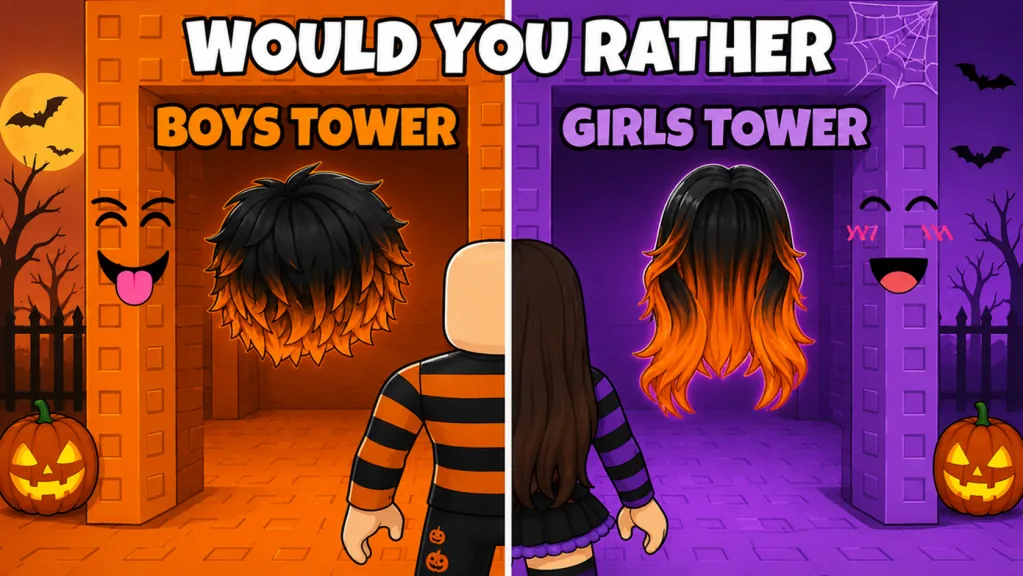
Each level offers two outfit gates. Some show the cosmetic before you choose; others hide the result. On a smaller display, the main risk is crossing the trigger area before you have seen both sides.
Stop a full avatar-length back when possible, zoom or rotate until both labels are readable, and then choose. Use a simple decision table:
| Mobile situation | Best action |
|---|---|
| Both items are visible | Compare color and silhouette, then tap-move through one side |
| One result is hidden | Choose visible for control or hidden for surprise |
| The avatar blocks a label | Step back and raise the camera angle |
| A large new item fills the view | Move to stable ground, then zoom out |
| The gate pair loads slowly | Wait before crossing either trigger area |
There is no confirmed rarity advantage for a hidden gate. Avoid repeated camera swipes near the center line while deciding, because one unintended movement input can commit the choice.
Use a touch-safe climb rhythm
Roblox classifies the experience as a Tower Obby, so the route moves upward even though outfit decisions are the main feature. Touch controls are easier when every section follows the same order:
- Center the landing or gate.
- Make one movement input.
- Release and confirm the avatar stopped.
- Rotate or zoom only from stable ground.
- Review the outfit, then line up the next section.
Do not hold forward while dragging the camera unless the route is wide and clear. Large hair, hats, and back accessories can occupy part of the screen, so a slightly higher, zoomed-out view helps you track the avatar’s feet.
A recorded run includes a fall and a climb back to previous progress, but that does not confirm a universal checkpoint or invisible safety floor. If you fall on mobile, stop touching the movement area, see where the current build placed you, and follow the visible path back.
Review outfit layers without losing progress
The game builds the look through clothes, hair, and accessories. Later pieces can overlap earlier ones; hair can visually cover part of a back accessory. Mobile camera review is therefore part of good styling, but it should happen away from edges.
Use three angles:
- front view for face, clothing color, and neck accessories;
- side view for hat, hair, and prop depth;
- back view for backpacks and hair overlap.
If an item clashes, do not immediately restart. A later visible gate can restore a repeated color or create a more balanced silhouette. There is no confirmed manual layer-order editor, so adapt through later choices.
Handle menus and saving on mobile
The experience includes Save Outfit, Use Outfit, and Currently Wearing features. Update v1.5 included fixes to outfit saving and display behavior. Open these controls only on safe ground or at the final reveal so a menu interaction does not turn into accidental movement.
Read the live labels before tapping. The available information does not establish a permanent mobile menu position, a permanent number of save slots, cross-device synchronization, cross-session persistence, Roblox inventory ownership, or an avatar change outside the experience.
If you save a look, confirm the result inside the current interface. For a lasting visual record independent of unknown save behavior, use your device’s normal screenshot function after framing the final outfit.
Play with friends without touch pressure
Mobile players can share a server with friends and compare choices. The verified maximum server capacity is 12, but that is not a formal party limit or proof of team features.
Ask the group to pause after each important gate rather than racing. Give mobile players room around gate triggers and extra time to reposition the camera. If typing covers part of the screen, send messages only from stable platforms.
A useful two-player rule is to take opposite gates and compare at the top. This is a player-created challenge, not an official scoring or reward mode.
What the mobile update does not confirm
“Improved mobile controls” confirms active attention to the touch experience, but it does not publish a permanent button map, minimum device specification, frame-rate target, or device-by-device performance guarantee.
The jump-upgrade display was also addressed in v1.5. Check the live display for its current price, currency, effect, cap, and persistence. Do not assume it is required to finish the route or behaves differently on mobile.
When interface details change, return to the durable loop: stop on safe ground, inspect both gates, commit to one side, let the cosmetic apply, and center the next movement section.
Finish and restart cleanly
At the top, set the camera for a full-body view and inspect the completed Halloween outfit. Rotate slowly rather than combining a camera swipe with forward movement. Use the current save controls if you want them, then start a fresh run for another combination.
For the second run, choose one touch-friendly rule: visible choices only, hidden choices whenever offered, one color family, or opposite remembered gates. A simple rule reduces time spent hovering near triggers and lets you focus on clean movement.
FAQ
Can I play Would You Rather Halloween Outfit Tower on mobile?
Yes. Mobile play is supported, and update v1.5 included improvements to mobile controls, animations, and tools.
Where is the jump button on my phone?
Use the control displayed by the current Roblox interface. A permanent device-specific button position is not documented.
How do I avoid choosing the wrong gate on touch controls?
Stop back from the pair, release movement, frame both options with the camera, and then cross one gate using a straight input.
Does mobile have automatic fall protection?
No universal protection is confirmed. If you fall, check where the live route placed you and recover through the visible path.
Will saved outfits sync from mobile to another device?
Cross-device synchronization is not confirmed. Check the current save interface and do not rely on a look outside the present experience without a clear live message.