Build from the outside in
Good layering is not about collecting the most pieces. It is about keeping the avatar readable after each gate changes the shape. Start with the broad silhouette, protect one focal detail, and let smaller items connect the colors. If hair hides a backpack or a prop cuts across the shirt, choose which piece wins. Trying to make both equally loud usually leaves a mess.
Would You Rather Halloween Outfit Tower builds its looks in sequence. Clothes, hair, and accessories are the official broad groups, and those layers can overlap visually. The game does not document a manual layer editor, a reorder menu, or a permanent item pool. Your practical fix is the next gate.
Keep one focal layer
Every clear outfit has a piece your eye finds first. It might be dramatic hair, a bold shirt, a large back item, a hat, or a prop. Once that piece is in place, later choices should frame it, repeat a color from it, or stay out of its way.
Before entering a visible gate, ask what the largest shape is and which piece currently carries the Halloween theme. Then check whether the new item supports or covers it. If the answer is hard to see, rotate the camera. The cleaner option is usually safer than another centerpiece.
Read the avatar in zones
Layering conflicts are easier to spot when you divide the outfit by location.
| Zone | Main layers | Typical conflict | Practical response |
|---|---|---|---|
| Head and shoulders | Face, hair, hats, neck pieces | Hair covers the face or neck detail | Favor a lower-profile visible choice next |
| Torso and waist | Shirts, scarves, waist accessories | Several patterns compete in one area | Repeat one color and reduce detail elsewhere |
| Back and outer silhouette | Long hair, backpacks, bats, props | One large layer hides another | Pick the item that deserves to lead |
This is a styling shortcut rather than an in-game menu. It lets you diagnose the avatar quickly while you climb.
Preview, commit, and correct
You cannot design the entire outfit in advance. Read both visible items and note when a gate is concealed. Pick the layer that suits the current silhouette, then rotate the avatar after it is applied. If the result creates a collision, use the next visible gate to repair the color, scale, or coverage.
Once the outfit reads clearly, stop rebuilding the theme at every level. Support pieces are useful too. This approach also makes random results less frustrating. Treat a large surprise as the new constraint, then keep the next choice calmer.
Fix the overlaps you can see
Hair hides the backpack
Hair has covered a backpack or back accessory in current-build play. If the back item matters, choose shorter or narrower hair when a visible gate offers it. If the hair is stronger, let the backpack become secondary and avoid adding another large back piece.
A hat disappears into the hair
Look for separation in both shape and color. The hat needs a clear outline above the hair or enough contrast to remain visible. When neither option provides that, accept a hair-led look instead of pretending the hat is still the focus.
The neck area feels crowded
Hair, collars, scarves, and necklaces all compete in a small area. Keep one heavy layer there. A simple neck detail can connect the face and shirt without becoming another centerpiece.
A prop covers the clothes
Large body-mounted props can turn the shirt into background texture. That is fine when the prop sells the concept. When the clothes are better, choose a smaller visible prop or another zone if the gates allow it.
Use color to connect the layers
Shape determines whether pieces can coexist. Color makes the combination feel planned. Start with a main color and a supporting color. A third works best as a small accent. When a random piece introduces a new dominant color, repeat it once rather than matching every later item to it.
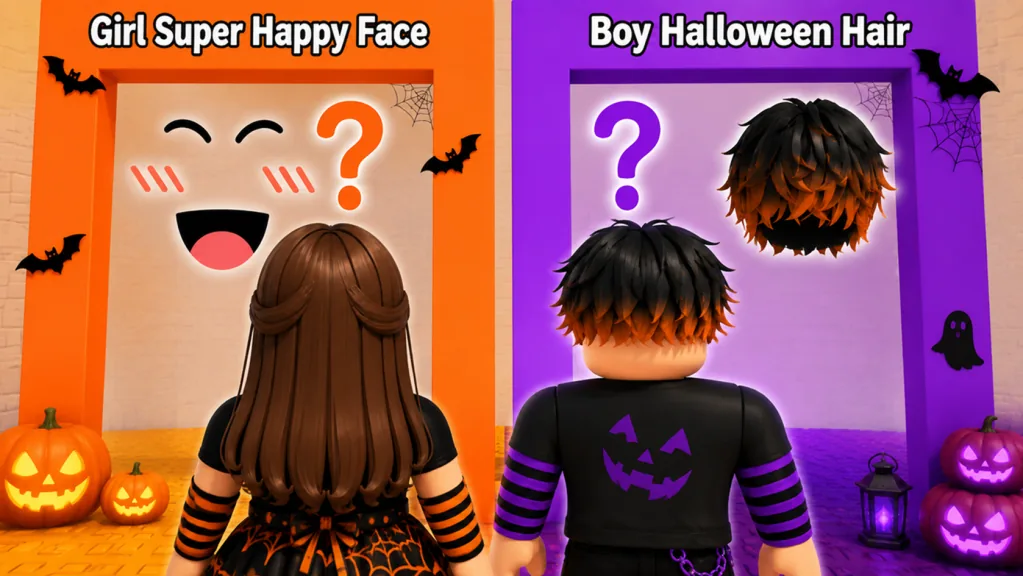
Do not treat orange and purple paths as permanent item pools. They have been part of the game’s presentation, but the current previews are what you can use. A route color is not a styling guarantee.
Mistakes that create clutter
Picking every item because it looks good alone is the fastest route to an unreadable outfit. The final reveal shows the combined avatar. Earlier choices also do not need to remain equally important once better pieces arrive.
Overlap is not proof that the game is broken. Some items simply occupy the same space. A hidden gate does not offer better layering or rarer pieces either. No published odds support that idea.
Recorded item examples can help you understand collisions, but the selection can change. Use the same silhouette checks with whatever your server offers.
Evaluate the final reveal
At the top, look at the avatar for a few seconds without zooming in. Can you identify the focal piece? Do the colors repeat? Is an important accessory completely covered? Check the current save interface before keeping the look. For the next run, change one variable such as hair size or the number of large accessories. That comparison gives you something useful to work with.
FAQ
What is outfit layering in Halloween Outfit Tower?
It is the visual interaction between clothing, hair, hats, neck pieces, back accessories, and props as the game applies your gate choices.
Can I reorder outfit layers?
A manual layer-order control is not documented. Manage overlap through later gate choices and check the live interface before expecting edit controls.
Why does hair cover my backpack?
Both pieces occupy the back silhouette. Favor narrower hair when the backpack is the focus, or let the hair lead and treat the back item as secondary.
Are hidden gates better for layering?
No. They add surprise but remove your ability to preview scale, color, and coverage.
How many colors should I use?
Start with one main color and one supporting color. Add a third as a small accent, especially after a random item introduces something new.